Understanding Apple’s iOS Privacy and Call Recording Limitations
Apple’s iPhones are renowned for their robust privacy and security features, which fundamentally influence how applications operate and interact with core functionalities like phone calls. This stringent approach makes direct, in-app call recording a complex and generally unstraightforward endeavor for users and developers alike, particularly when considering features like **Truecaller iPhone call recording**.
At the heart of Apple’s ecosystem is a profound commitment to user privacy, reinforced by what is often described as a “walled garden” approach. This design philosophy means that iOS employs a highly secure sandbox security model, effectively isolating applications from each other and from critical system processes unless explicit, granular permissions are granted by the user Apple Support – Privacy and Security. For instance, apps require specific permissions to access sensitive hardware components like the microphone, contacts, or camera, and these permissions are not automatically granted. This isolation is a cornerstone of iOS security, preventing malicious apps from accessing data or functions without user knowledge and consent.
A key implication of this architecture for call recording is that Apple’s operating system does not provide a public API (Application Programming Interface) that allows third-party applications to directly access the audio stream of an active phone call MacRumors – iOS 14 Privacy Features. This architectural decision is a primary reason why direct, one-tap, in-app call recording solutions are not readily available on the App Store. Developers cannot simply build an app that “listens in” on your ongoing calls and records them, regardless of whether it’s for spam protection or personal record-keeping. This fundamental restriction applies to all apps, including those that might otherwise seem capable, such as Truecaller, when it comes to **Truecaller iPhone call recording**.
Furthermore, Apple has introduced transparent privacy indicators to enhance user awareness and control. Features like the prominent orange and green dots, which were introduced in iOS 14, visually alert users when an app is actively using the microphone (orange) or camera (green) Apple Support – About the orange and green indicators in iPhone status bar. These indicators serve as a constant, transparent reminder of ongoing access, empowering users to be fully aware of how their device’s sensitive hardware is being utilized. This level of transparency underscores Apple’s dedication to privacy and further explains why a stealthy, background call recording feature is incompatible with their design ethos.
Beyond these significant technical limitations, legal considerations also play a pivotal role in Apple’s approach to call recording. Call recording laws vary widely by jurisdiction, creating a complex patchwork of regulations. Some regions operate under “single-party consent” laws, meaning only one person involved in the conversation needs to know and agree to the recording. Other jurisdictions, however, demand “all-party consent,” requiring every individual on the call to explicitly agree to the recording JustAnswer – Record Phone Conversation iPhone. Apple, by inherently limiting direct recording capabilities, implicitly helps users navigate these intricate legal complexities. This design choice helps mitigate the risk of users inadvertently violating laws, thereby upholding its privacy-centric philosophy and protecting both its users and itself from potential legal ramifications.
Therefore, while various sophisticated workarounds and external devices do exist for recording calls on an iPhone, a simple, convenient, and direct one-tap in-app recording solution is typically absent due to Apple’s deeply ingrained privacy architecture and the company’s unwavering commitment to user data protection MakeUseOf – How to Record Calls on iPhone. This deliberate design choice sets the stage for understanding the significant challenges involved in capturing call audio on an iPhone and fundamentally impacts what applications like Truecaller can offer in terms of **Truecaller iPhone call recording**. Users looking for this specific functionality often find themselves exploring alternative, less integrated methods due to these core platform limitations.
Truecaller on iPhone: Navigating iOS for Spam Identification and Caller ID
Truecaller has firmly established itself as a globally popular application for identifying unknown callers and blocking unsolicited spam calls. Even on the tightly controlled iOS platform, Truecaller effectively leverages available features to deliver its essential core services, though with clear distinctions from what might be expected on other operating systems, especially concerning **Truecaller iPhone call recording**.
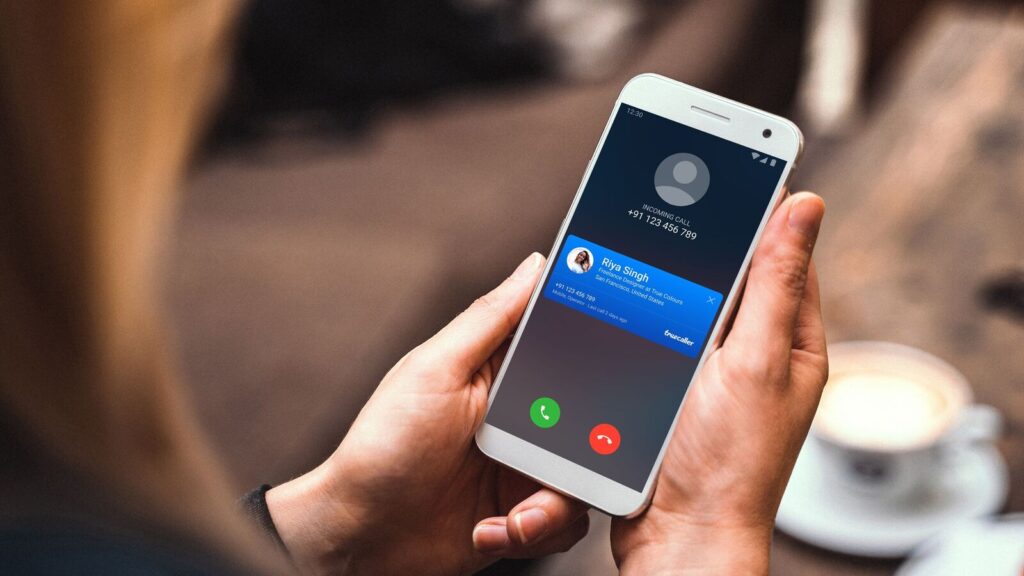
For its primary functions of **spam identification and caller ID**, Truecaller seamlessly integrates with iOS’s CallKit framework. CallKit is a powerful Apple API designed to allow third-party apps to integrate with the native Phone app interface, enhancing call management capabilities. This integration is crucial for Truecaller, as it allows the app to provide real-time caller identification and robust spam blocking without needing to bypass or compromise Apple’s stringent security protocols. When an incoming call is received, CallKit enables Truecaller to quickly query its extensive, community-driven database of known spam numbers, telemarketers, fraudsters, and legitimate business contacts. If a match is found, the app displays the caller’s identity or a prominent spam warning directly on the iPhone’s call screen, often before the user even has a chance to answer. This functionality significantly enhances user experience and security by empowering individuals to make informed decisions about whether to accept a call, thereby reducing interruptions and protecting against potential scams. This capability relies heavily on Truecaller’s vast global directory of numbers and the collective intelligence derived from millions of user reports.
However, when the discussion turns to **call recording features**, iOS presents significant, unyielding limitations. Apple’s stringent privacy policies inherently restrict third-party applications from directly accessing and recording ongoing phone calls. This is not merely a technical oversight but a fundamental security measure designed from the ground up to protect user privacy and comply with diverse global legal requirements surrounding conversational privacy. Therefore, Truecaller, like any other legitimate application available from the App Store, cannot natively record calls on an iPhone. The platform’s architecture simply does not permit direct access to the active call audio stream by third-party applications. This means that any expectation of direct, in-app **Truecaller iPhone call recording** functionality is unrealistic.
Any claims of direct, one-tap call recording functionality on iOS through third-party apps should be viewed with extreme skepticism. Such claims likely involve workarounds that may not be reliable, may infringe upon the legal requirements for call recording in certain regions, or may even violate Apple’s stringent terms of service and App Store guidelines. Attempting to circumvent these restrictions can lead to app instability, security vulnerabilities, or even account suspension. Users seeking to record calls on an iPhone typically need to resort to methods that operate outside the direct control of the iOS app sandbox, such as using external hardware recording devices that capture audio through the speaker or headset jack, or by utilizing carrier-specific services that support network-level call recording, provided these services are available in their region and are used in full compliance with local laws.
In essence, Truecaller excels on iPhones within the boundaries set by iOS, providing robust and highly effective spam identification and caller ID services that profoundly enhance user experience and communication security. Its integration with the CallKit framework ensures seamless and efficient operation for its primary functions, making it an invaluable tool for managing incoming calls. However, for functionalities that fundamentally conflict with Apple’s core privacy principles, such as **Truecaller iPhone call recording**, the platform’s architectural design takes precedence, guiding users towards external solutions or methods that operate beyond the app’s direct control. For deeper insights into how technology navigates complex societal challenges, one might explore topics like AI Integration in Higher Education or Toxic Tech and AI Layoffs.
Technical Hurdles and User Workarounds for Call Recording on iOS
Recording phone calls directly on an iPhone presents significant technical challenges, primarily due to Apple’s stringent privacy and security protocols. Unlike some other mobile operating systems that may offer more permissive access, iOS is meticulously designed to restrict how third-party applications interact with core system functions, especially those involving sensitive user data like audio from conversations. This limitation means that the operating system simply does not provide developers with direct access to simultaneously record both the phone’s microphone (your voice) and speaker (the other person’s voice) during an active phone call. This simultaneous access is absolutely essential for capturing a complete two-way audio recording. This design choice is not arbitrary; it’s a deliberate and fundamental decision by Apple to protect user privacy and ensure compliance with the myriad of diverse legal regulations regarding call recording, which differ substantially by country and even by state or province. Therefore, achieving direct **Truecaller iPhone call recording** functionality via an app is fundamentally blocked by the OS itself.
Because of these inherent and deep-seated limitations, apps attempting to offer call recording functionality on iOS cannot operate natively. Instead, they must rely on highly indirect methods or clever workarounds that leverage existing system features or external hardware. These often involve various strategies, each with its own set of advantages and disadvantages for users seeking to record conversations on their iPhones.
Three-Way Calling (Conference Call Method)
Perhaps the most common workaround employed by third-party call recording applications is the utilization of a three-way calling feature, often referred to as the conference call method. This intricate method typically involves the recording app or a dedicated recording service acting as a bridge or a third participant in the call. The process usually unfolds as follows:
- Initiation: When you wish to record a call, you might first dial the recording service’s number provided by the app.
- Merging Calls: Once connected to the recording service, you then initiate a second call to the person you wish to speak with (or if it’s an incoming call, you accept it and then merge it with the recording service call). This creates a three-way conference call involving you, the other party, and the recording service.
- Recording by Service: As the recording service is a participant in the conference call, it is able to capture the entire conversation from its end. After the call, the recorded audio is typically made available to you through the app, often in cloud storage.
This method’s viability is entirely dependent on your mobile carrier supporting three-way calling functionality. While widely available, some older plans or specific regional carriers might not offer it, or they might charge additional fees for conference calls, which could add unexpected costs to your phone bill. Furthermore, the audio quality of recordings made via this method can sometimes be inconsistent, depending on network conditions and the quality of the recording service itself. While Truecaller itself doesn’t offer this, understanding this method is crucial for anyone exploring **Truecaller iPhone call recording** alternatives.
External Devices
Another reliable approach that completely bypasses iOS software limitations involves the use of external hardware devices specifically designed for call recording. These devices operate independently of the iPhone’s operating system, capturing audio through physical connections or wireless signals.
- Direct Connection Devices: Some recorders connect directly to the iPhone via the Lightning port (or older 3.5mm headphone jack). These devices essentially sit between your iPhone and your headset, capturing the audio signals that pass through them.
- Bluetooth Recorders: Other devices act as Bluetooth headsets or speakers. When paired with your iPhone, they handle the audio transmission for calls, and simultaneously record the conversation internally.
- Speakerphone Method with External Recorder: A simpler, albeit less sophisticated, method involves placing the iPhone on speakerphone and using a separate, dedicated digital voice recorder or even another smartphone with a voice memo app to record the ambient audio. This method is entirely manual and relies heavily on the quality of the external recording device, the acoustics of the environment, and minimal background noise to capture clear, discernible audio from both parties.
These external solutions offer a robust way to achieve call recording without software restrictions, making them a common choice for those whose needs cannot be met by in-app solutions, or who are looking for ways to supplement **Truecaller iPhone call recording** capabilities which are non-existent.
Carrier Services
In certain regions and for specific mobile carriers, direct call recording services may be offered as a premium feature. These services are arguably the most reliable method for recording calls on an iPhone because they operate at a network level, entirely bypassing iOS restrictions.
- Network-Level Recording: When a call is made or received, if this service is enabled, the recording is handled directly by the carrier’s network infrastructure before the audio even reaches your iPhone. This means the recording happens “in the cloud” on the carrier’s servers.
- Activation and Access: Users typically activate these services through their carrier’s portal or by dialing specific shortcodes. The recorded calls are then usually accessible via an online dashboard or a dedicated app provided by the carrier.
This method offers excellent reliability and often superior audio quality as it’s not subject to local device limitations. However, availability varies significantly by country, carrier, and individual plan, and these services almost always come with an additional monthly fee. Users interested in this option should directly contact their specific mobile provider for information on availability, pricing, and specific activation procedures. This is the most “seamless” workaround, but it’s entirely outside of Truecaller’s domain and not a form of **Truecaller iPhone call recording**.
These technical workarounds, while functional to varying degrees, clearly highlight the core technical barriers intentionally built into the iOS ecosystem. These barriers are designed to safeguard user privacy, ensure data security, and facilitate compliance with complex legal requirements. Users considering any form of call recording on their iPhone must always be acutely aware of these technical limitations and, more importantly, scrupulously adhere to local laws and regulations regarding consent for recording conversations. Ignorance of the law is not a defense, and unauthorized recording can lead to severe legal penalties.
The Legality of Call Recording: Navigating Consent Laws
Recording phone calls, particularly when attempting to do so on an iPhone, delves into a complex and often perilous legal landscape primarily governed by distinct “one-party consent” and “two-party (or all-party) consent” laws. A thorough understanding of these crucial distinctions is not merely advisable but absolutely imperative to avoid significant potential legal repercussions, which can range from civil lawsuits to serious criminal charges. This legal complexity is one of the foundational reasons why direct in-app solutions for features like **Truecaller iPhone call recording** are not natively available.
One-Party Consent States
In states or regions that adhere to “one-party consent” laws, the legal framework is relatively straightforward: you are legally permitted to record a conversation as long as you are personally a participant in that conversation, or if you have obtained the explicit consent of at least one of the parties involved in the communication. This means that if you are actively on the call, your own participation inherently constitutes your “consent,” and you can proceed to record the conversation without the legal obligation to inform or seek permission from the other person or persons on the line. This type of law prioritizes individual autonomy in documenting their own interactions. Examples of states within the United States that operate under one-party consent laws include New York, Texas, Virginia, and many others, representing the majority of U.S. states Justia – 50-State Surveys: Recording Phone Calls and Conversations. However, it is critically important to remember that even in one-party consent jurisdictions, if you intend to use the recording as evidence in a court of law, specific rules of evidence may still apply, and the admissibility of such recordings can be subject to judicial discretion based on context and relevance.
Two-Party Consent States
Conversely, “two-party consent” laws, which are also frequently referred to as “all-party consent” laws, impose a much stricter requirement. Under these statutes, every single person involved in the conversation, without exception, must give their explicit and affirmative permission for the recording to be legal. Failure to obtain consent from all parties before or during the recording can lead to serious legal consequences, which may include substantial civil lawsuits for damages, and in some egregious cases, even criminal charges, including felonies. This type of law places a premium on the privacy expectations of all participants in a conversation. States such as California, Florida, Illinois, Maryland, Massachusetts, Montana, New Hampshire, Oregon, Pennsylvania, and Washington are prominent examples of jurisdictions within the U.S. that mandate two-party consent Rev – Call Recording Laws. It is absolutely crucial to be acutely aware of these differing laws, especially when engaging in communication across state or international lines. In such scenarios, the general legal principle often dictates that the more restrictive law typically applies, meaning if one party is in a two-party consent state, then all parties must consent, regardless of where the other parties are located. This “most restrictive law” principle is a critical safeguard against inadvertent legal violations.
Implications for iPhone Users
iPhone users frequently encounter the practical limitations when attempting to record calls directly from their devices, as Apple’s iOS ecosystem does not natively support in-app call recording. This intentional design choice by Apple is primarily rooted in deep-seated privacy concerns and the highly varied and complex consent laws that exist across different regions globally. Apple’s cautious approach aims to protect its users from inadvertently breaking laws in jurisdictions they may not be familiar with. While various third-party apps and technical workarounds exist (such as using external devices, conference call services, or carrier-provided recording features), these methods often involve routing calls through external services or merging calls, which can sometimes raise further intricate legal questions, impact call quality, or introduce additional costs.
Users must therefore exercise extreme caution and fully educate themselves on the legal implications in their specific jurisdiction, and indeed, the jurisdiction of all parties involved in a call, before attempting any form of call recording on their iPhones. Relying on such methods without a comprehensive understanding of the applicable laws could inadvertently lead to severe legal trouble, particularly when recording conversations with individuals located in two-party consent states. The absence of native **Truecaller iPhone call recording** is a direct reflection of these complex technical and legal challenges. For more extensive insights into technology’s broader societal impacts and ethical considerations, you might find our article on Toxic Tech and AI Layoffs: A Modern Workplace Challenge highly insightful. Always prioritize legal compliance and ethical considerations when engaging with call recording technologies.
Truecaller’s Core Capabilities on iPhone Beyond Recording
While the direct in-app **Truecaller iPhone call recording** functionality is unavailable due to Apple’s stringent iOS privacy policies and technical limitations, Truecaller remains an incredibly powerful and valuable tool for iPhone users. Its primary strengths lie in its comprehensive suite of features designed to enhance communication security, identify unknown callers, and effectively manage unwanted calls. These capabilities have made Truecaller an essential application for millions of users worldwide, particularly in combating the pervasive issue of spam and telemarketing calls.
Caller Identification: Unmasking Unknown Numbers
One of Truecaller’s flagship features on iOS is its unparalleled ability to identify unknown callers in real-time. Leveraging its massive, community-driven database, Truecaller can often display the name and type of caller (e.g., “Doctor’s Office,” “Delivery Service,” “Potential Scam”) even if the number is not saved in your phone’s contact list. This is achieved through the integration with Apple’s CallKit framework, which allows Truecaller to access incoming call information before it’s displayed on the screen. The app cross-references the incoming number with its vast global directory, which is continuously updated by a combination of official business listings and user-contributed data. This immediate identification empowers users to decide whether to answer the call, ignore it, or block it, significantly improving call management efficiency and reducing uncertainty. The precision of this caller ID service makes it a standout feature for iPhone users.
Robust Spam Blocking: A Shield Against Unwanted Calls
Truecaller provides a robust defense against unwanted spam, telemarketing, and fraudulent calls. Its powerful spam blocking capabilities are built upon the same extensive database used for caller identification, but with an added layer of community reporting and sophisticated algorithms. When a number is identified as spam or potential fraud, Truecaller can automatically block these calls from reaching your phone, often preventing your device from even ringing. Users can also manually report spam numbers, which contributes to the global database, making the service more effective for everyone. This proactive blocking mechanism is crucial for protecting users from financial scams, phishing attempts, and general nuisance calls, transforming the iPhone calling experience into a much safer and less interrupted one. The ability to effectively filter out unsolicited communications is a key reason many users download Truecaller, despite the absence of **Truecaller iPhone call recording**.
Smart Call Management: Taking Control of Your Communications
Beyond just identifying and blocking, Truecaller on iPhone offers a suite of smart call management features designed to give users greater control over their incoming and outgoing communications. This includes:
- Blocked Call History: Users can review a log of all calls that Truecaller has automatically blocked, providing transparency and allowing them to unblock numbers if a legitimate call was inadvertently filtered.
- Reverse Number Lookup: If you have a missed call from an unknown number, you can use Truecaller’s search function to perform a reverse lookup, potentially identifying the caller even if they are not in your contacts.
- Call Management Tools: While not a recording feature, Truecaller can help streamline your communication by providing quick access to call back identified numbers, or marking numbers for future reference.
These features collectively contribute to a more organized and secure calling experience, making Truecaller an indispensable app for managing phone communications on an iPhone, even without the ability for **Truecaller iPhone call recording**.
Enhanced Communication Security and User Experience
Truecaller significantly enhances the overall communication security for iPhone users. By proactively identifying and blocking potential threats, it helps users avoid scams, reduces the likelihood of falling victim to phishing attacks, and minimizes daily interruptions from unwanted calls. The app transforms the unknown into the known, allowing users to interact with their phone with greater confidence and peace of mind. This focus on security and user convenience through smart identification and blocking differentiates Truecaller as a privacy-aware application that operates within Apple’s strict ecosystem. It successfully leverages CallKit to provide critical functionalities that many users seek, even in the absence of a direct **Truecaller iPhone call recording** feature. The app’s continuous development aims to further refine these core services, ensuring it remains a leading solution for call identification and spam protection on iOS.
Sources
- Apple Support – About the orange and green indicators in iPhone status bar
- Apple Support – Privacy and Security
- JustAnswer – Record Phone Conversation iPhone
- Justia – 50-State Surveys: Recording Phone Calls and Conversations
- MacRumors – iOS 14 Privacy Features
- MakeUseOf – How to Record Calls on iPhone
- Rev – Call Recording Laws